
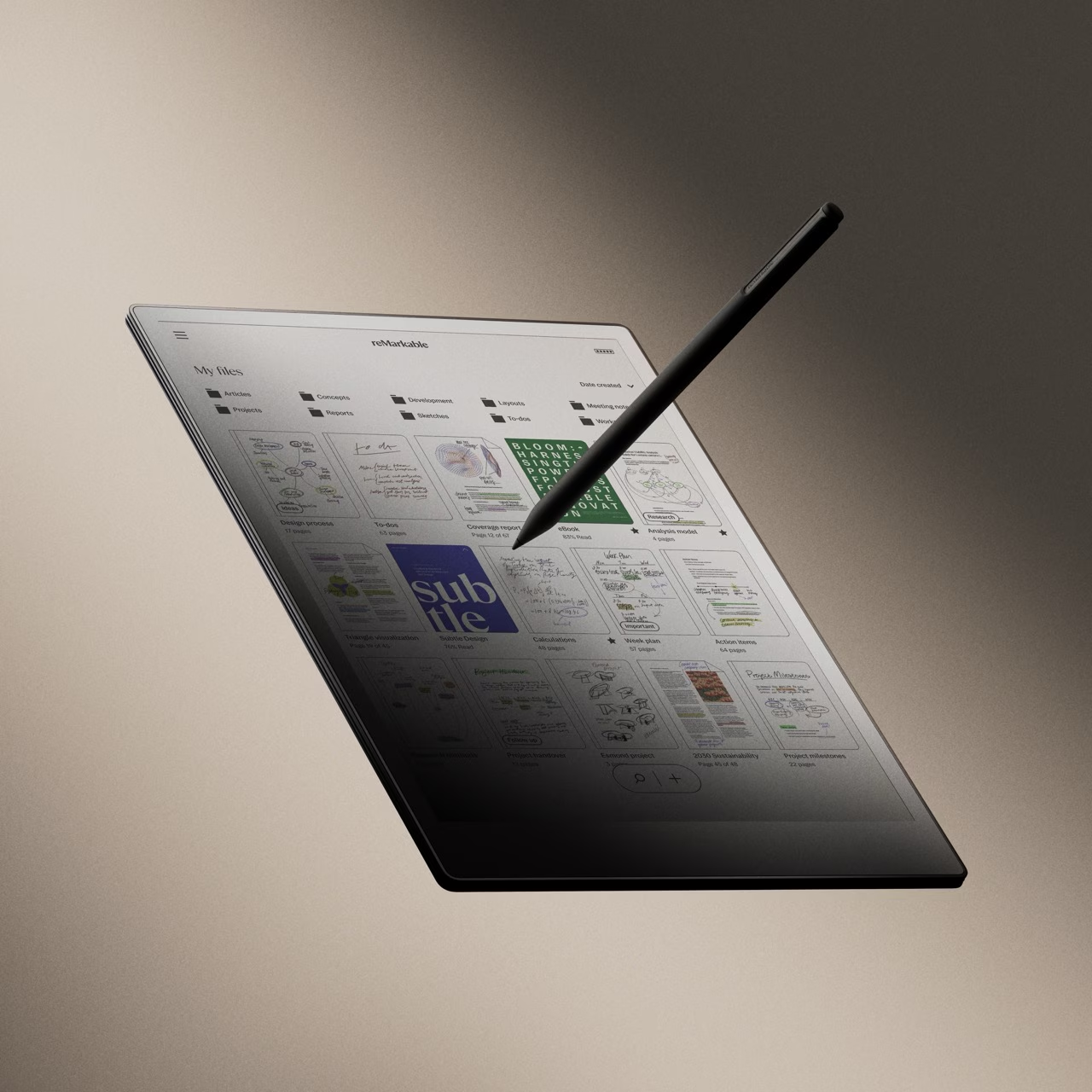
At Blind Ambition, we always strive to explore the latest technology to assess its accessibility and usefulness for people with disabilities. Recently, we had the opportunity to review the Remarkable Paper Pro tablet. While this device is not suitable for individuals with sight loss due to its lack of speech output or other accessibility features, we found it to be remarkably effective for individuals with dyslexia and neurodivergence.
We also tested the device with an autistic individual, and the response was strikingly positive. The feel of the pen on the screen and the ability to update pen and line sizes instantly put a smile on their face. There is something incredibly tactile and satisfying about writing on the Remarkable Paper Pro. Could you just use pen and paper instead? Yes—but this is pen and paper on steroids. It combines the natural feel of writing with the powerful functionality of digital tools, including the ability to instantly send PDF and ePub files to the device (although, sadly, not web pages or stripped HTML articles).
A Distraction-Free Environment for Focused Thinking
One of the standout features of the Remarkable Paper Pro is its simplicity. Many neurodivergent individuals struggle with distraction, as their brains can be easily pulled in different directions by notifications, pop-ups, or social media. This device eliminates all such distractions by offering a focused, streamlined experience. There are no social media apps, no email notifications, and no unnecessary pop-ups—just a digital workspace designed purely for writing and thinking.
Accessibility Features
The Remarkable Paper Pro includes several accessibility-focused features that enhance usability:
- Handwriting Mode: Users can choose between right-handed and left-handed modes, making the device adaptable for different writing preferences.
- Font Size: The font size can be adjusted to enhance readability; however, the largest available font size is still relatively small and may not be sufficient for users with low vision.
- Reading Light: The adjustable reading light ensures a comfortable reading experience in various lighting conditions.
- Palm Rejection Technology: Allows users to rest their hand on the screen while writing without interference.
- Secure and Private: Security features include encryption and optional passcode access, ensuring a safe and private workspace.
Accessibility Challenges and Feature Requests
Despite some existing accessibility features, the Remarkable Paper Pro lacks critical functions that could make it a more inclusive device for low-vision and blind users. Some of the key missing features include:
- Lack of Screen Reader Support: The device does not currently support audio feedback or a built-in screen reader, making it inaccessible for blind users.
- Limited Font Size Options: While font size can be adjusted, many low-vision users find the largest available size insufficient. Adding larger font scaling would improve usability.
- No Tactile Navigation or Haptic Feedback: The interface relies solely on visual cues, meaning there are no vibration-based confirmations for menu selections or navigation. Implementing haptic feedback could improve accessibility.
- No Menu Magnifier or Zoom Functionality for UI: While the device allows users to zoom in on documents, the menus and UI elements remain at a fixed size, which can be difficult for low-vision users to navigate. A dedicated menu magnifier or UI zoom function would be a significant improvement.
- No Bluetooth Screen Reader Support: The device does not support Bluetooth audio output for external screen readers, limiting accessibility options for users who rely on voice guidance.
Strengths of the Remarkable Paper Pro for Dyslexic Users
For individuals with dyslexia, the handwriting and annotation capabilities of this tablet can be a real asset. The textured glass screen mimics the feel of real paper, making handwriting and drawing a tactile and satisfying experience. The ability to highlight text in multiple colors (yellow, blue, pink, etc.) is particularly beneficial for dyslexic users who rely on color coding to aid comprehension and focus.
Another significant advantage is the lack of distractions, which allows users to concentrate on their thoughts without being pulled away by external stimuli. Slowing down the thinking process by writing by hand can be an effective way to retain information and process ideas more deeply, making this device particularly useful for students and professionals alike.
Additional Features and Hardware
- No Internet Browser: The device does not have an internet browser, which helps prevent distractions.
- Convert Handwriting to Text: With a single tap, users can convert handwritten notes to typed text.
- Screen Share: Users can share their tablet’s screen live during meetings, making it a useful tool for collaboration.
- Type Folio: The Type Folio allows users to combine handwriting and typing on the same page, enhancing versatility.
- Multi-point Capacitive Touch: Allows smooth navigation and interaction.
- Battery & Charging: The lithium-ion battery is rechargeable via USB-C, with an estimated long-lasting battery life.
- Processor and Storage: The Remarkable Paper Pro features a 1.8 GHz quad-core ARM processor, 64GB storage, and 2GB LPDDR4 RAM.
- Marker Plus: The stylus supports 4,096 levels of pressure sensitivity, tilt support, and features an eraser function.
- Palm Rejection: Ensures smooth, interruption-free writing and drawing.
- Durability: The device is lightweight (530g) and has a paper-like surface with sunlight readability, making it ideal for outdoor use.
Outdoor and Low-Light Usability
Unlike traditional tablets with reflective screens, the ePaper display of the Remarkable Paper Pro is easy to read outdoors, even in bright sunlight. Additionally, the device is backlit, allowing users to work comfortably in low-light environments.
Integration and Future Potential
While the Remarkable Paper Pro offers an excellent standalone writing experience, its integration with other tools is somewhat limited. The device allows users to convert handwritten notes to text and email documents directly from within its interface. However, without spell check, this could pose challenges for dyslexic users who rely on proofreading assistance before sending messages.
We have also ordered the Typefolio keyboard cover, which may enhance the device’s usability for typing. It will be interesting to see whether this addition makes the device a viable alternative to traditional word processors.
Conclusion: A Powerful Tool for the Right User
While the Remarkable Paper Pro is not an ideal solution for individuals with sight loss due to its lack of speech output and accessibility features, it could be a game-changing device for people with dyslexia and neurodivergence. The ability to focus without distractions, highlight text in multiple colors, and handwrite with a paper-like feel makes it a valuable tool for writing and organization.
However, the lack of Open Dyslexic font support, spell check, word count features, and low-vision accessibility options may limit its appeal for users who require those tools. If future iterations offer these features as optional settings, the Remarkable Paper Pro could become an even more powerful tool for individuals with dyslexia and other neurodivergent conditions.
For those who struggle with digital distractions and want a minimalist, focused workspace, the Remarkable Paper Pro is definitely worth considering. But for those who need more comprehensive accessibility features or integration with third-party services, it may not be the perfect fit—yet.

